Screens help us work, handle errands, and unwind. Avoiding them altogether is rarely realistic, but you can make a screen-filled day gentler on your eyes. Small changes in focus, a more comfortable workspace, and attention to symptoms can all be part of a routine that fits your day.
The 20-20-20 habit is an easy starting point: about every 20 minutes, look at something roughly 20 feet away for at least 20 seconds. It is a reminder to change focus, not a guaranteed fix. If a timer interrupts your work too often, tie the pause to something you already do, such as sending an email, finishing a paragraph, or closing a task.
Let yourself blink naturally while you look away. Concentrating on a display can make blinking less frequent, which may contribute to a dry or irritated feeling. You do not need to count blinks or make the break another chore. A short pause that you actually take is more useful than an elaborate plan you cannot keep up.
When you have a little more time, step away from the display for a gentle reset. Look across the room or out a window, let your eyes settle on a distant object, and blink normally. Then stand up or shift your position before returning to your task. Keep every movement comfortable; there is no reason to press on your eyes or force them to track in a way that hurts.
Use this sequence as a flexible pause rather than a strict exercise prescription. Breaks and focus changes may ease screen-related discomfort, but they do not treat an eye condition or replace prescribed care.
| When | What to do | Keep in mind |
|---|---|---|
| During focused screen work | Look into the distance for at least 20 seconds. | Use a recurring task as your reminder. |
| When your eyes feel dry | Pause and blink naturally several times. | Avoid rubbing irritated eyes. |
| Between longer tasks | Get up, change position, and rest your gaze away from the display. | Choose a comfortable pace rather than a rigid schedule. |
A break helps most when the workspace you return to is comfortable, too. Start by comparing your display brightness with the room around you. A screen that feels glaringly bright or unusually dim may be tiring to read. Reflections from a window or lamp can also make text harder to see, so try changing the light source or the display angle before assuming the screen itself is the only problem.
If you find yourself leaning forward to read, increase the text size. Position the display at a distance and angle that allow you to sit comfortably without straining your neck or squinting. These adjustments do not require a complicated setup, and you can make them one at a time. Our team favors changes you can notice and maintain over rules that make an ordinary workday harder.
For more guidance on screen habits and workstation comfort, see the American Academy of Ophthalmology’s computer-use advice and OSHA’s computer workstation guidance.
Begin with one cue for your next screen session. You might look into the distance after each email you send, or take a longer reset between tasks. If the cue does not fit your day, move it rather than giving up on breaks altogether. On a busy day, even a few deliberate pauses can help you notice when you have been staring at one distance for a long time.
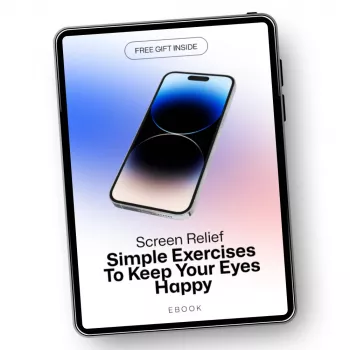
If you would like screen-break ideas in one place, explore our Screen Relief: Simple Exercises to Keep Your Eyes Happy digital guide. It is an option for making eye-friendly pauses more consistent, not a promise of medical results. Choose it if a dedicated prompt would be useful; you can also start with the simple routine above today.
Our Timberland Sunglasses are a separate option for time outdoors. They are not a substitute for screen breaks or a treatment for screen-related discomfort. For indoor screen use, start with your lighting, readable text, positioning, and regular changes of focus.
Pay attention to patterns rather than trying to push through them. If discomfort persists, headaches recur, or your vision changes—especially after you have tried breaks and workspace adjustments—make an appointment with an eye-care professional. They can assess symptoms that a screen routine cannot explain or resolve.
Sudden vision changes or significant eye pain call for prompt medical advice. Do not try to manage those symptoms with exercises or wait to see whether another break helps. A gentler routine is for everyday comfort, not for delaying care when something feels wrong.
Try the 20-20-20 habit as a starting point: about every 20 minutes, look roughly 20 feet away for at least 20 seconds. Take additional breaks when your eyes feel uncomfortable.
No cure is guaranteed. Brief focus changes and breaks may help with comfort, but persistent symptoms deserve an eye-care assessment.
Reduce glare, adjust room and screen brightness, enlarge text, and place your display at a comfortable distance and angle.











Leave a comment